Features · Every agent
One app for every agent. Change with a tap.
Claude Code, Codex, Antigravity and Kimi, with more to come. They share one way of working inside Ripul, so which agent to use stops being a question of which app to open.
One way of working
Each AI company builds an app for its own agent, with its own habits. Ripul puts them behind one set of screens, so what you learn with one carries over to the next.
- One list of conversations
- Every agent's work in one place, named from what you asked for, so the list reads like a to-do list.
- One way to say yes
- The same approval question, whichever agent is asking.
- One kind of notification
- Finished, needs you, or stuck. The same three, for all of them.
Change agent in the middle of a conversation
The best agent changes from month to month, and sometimes from job to job. Changing agent or model is a tap inside a running conversation, and the conversation carries on.
Pin the two or three you use most and they become one-tap buttons for starting a new conversation. A good habit is to begin with a quick, light model and move to a heavier one only when the job turns out to need it.
Several at once
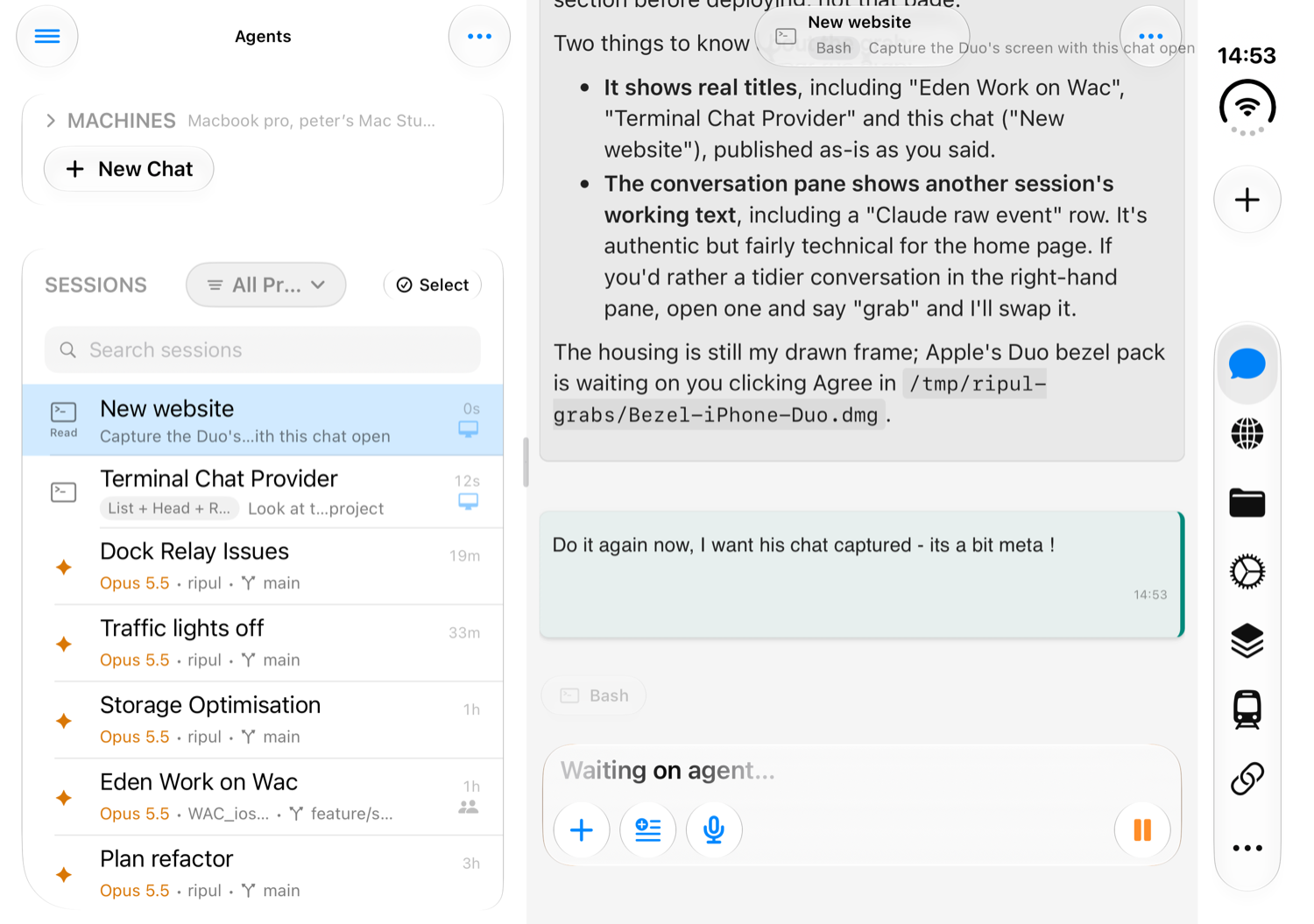
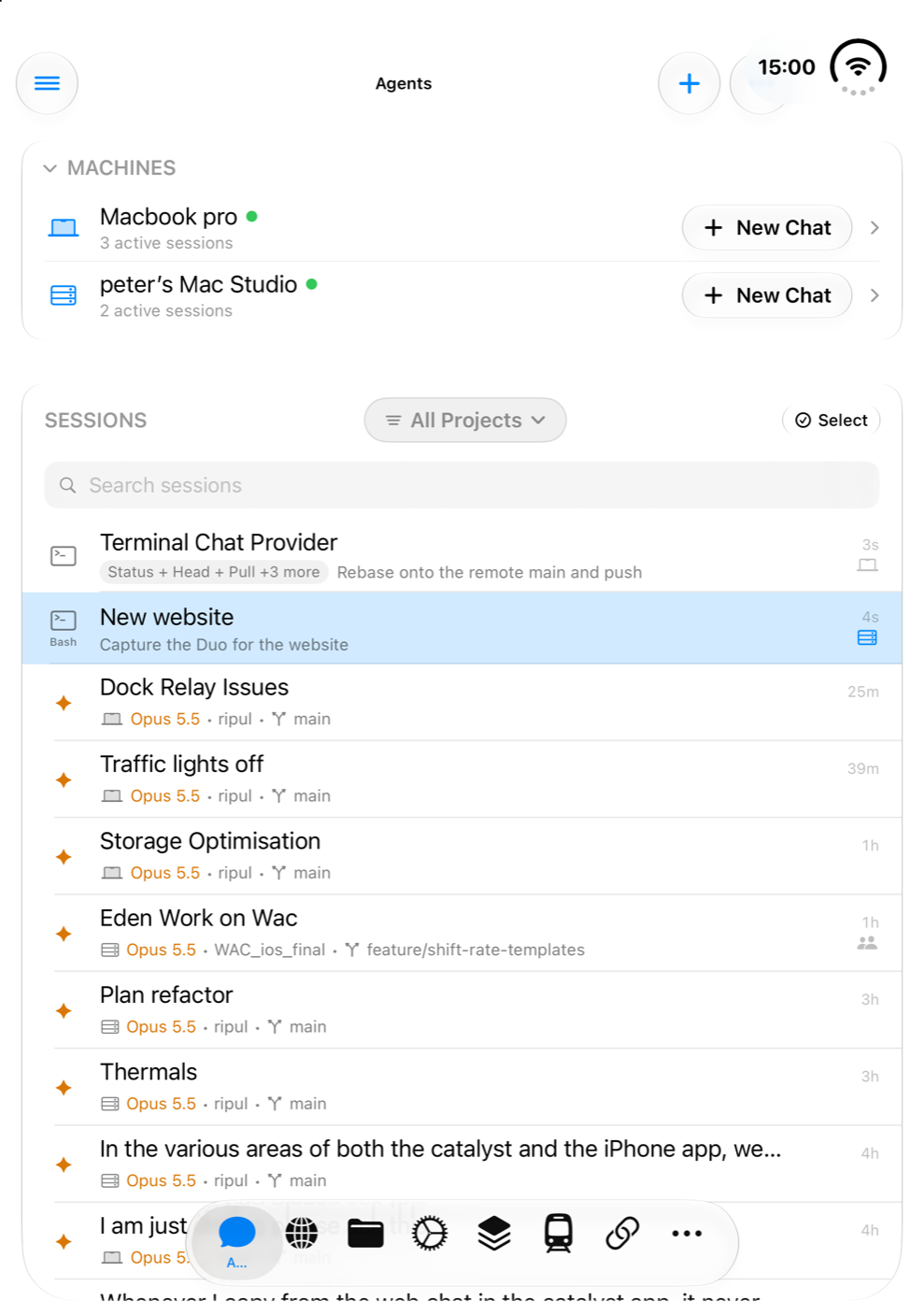
One agent per job, all of them working while you read one of them. Start one on the problem you are chasing, another on the tidy-up you have been putting off, and a third on a different project altogether.
The list shows which are working, which are waiting for you and which have finished. A conversation that needs your answer brings itself to the top.
Go back and take the other road
Every long conversation has a moment where it went wrong. You do not have to argue with it or start again.
- Fork
- Branch from any point into a new conversation. The original carries on, so you can try two approaches and compare.
- Restart
- Run again from a chosen message with a better instruction, without the wrong turn.
- Resume
- Pick a conversation up days later with everything it knew still in place.
Good to know
Your own models too
Models you run yourself in LM Studio join the same list, on your Mac or on another machine. The next page is about them.
It uses the agents on your Mac
Ripul works with the agents you already have installed. Ripul Host finds them and shows a tick beside each one it can run.
Keep parallel agents apart
Two agents working in the same folder will trip over each other's changes. Give each its own folder or project.
See what you are spending
The Usage screen breaks down what you have used, so you can see which habits are the expensive ones.
Models you run yourself in LM Studio, found by themselves and used like any other agent.