Features · The whole machine
Your Mac, as if you were sitting there.
Sometimes the answer is behind a window, in a folder or in something that is running. Those were the moments that sent you home. Now they are a screen on your phone.
Its screen, on your phone
Pick any window on your Mac and it comes to your phone, live. You get a pointer you can place precisely, your phone's keyboard types into it, and what you copy on one you can paste on the other.
A Mac window is the wrong shape for a phone, so you can reshape the window itself: tall like a phone, square, laptop size, or a size you choose. The app on the Mac rearranges itself to fit. Restore Original puts it back.
Apps
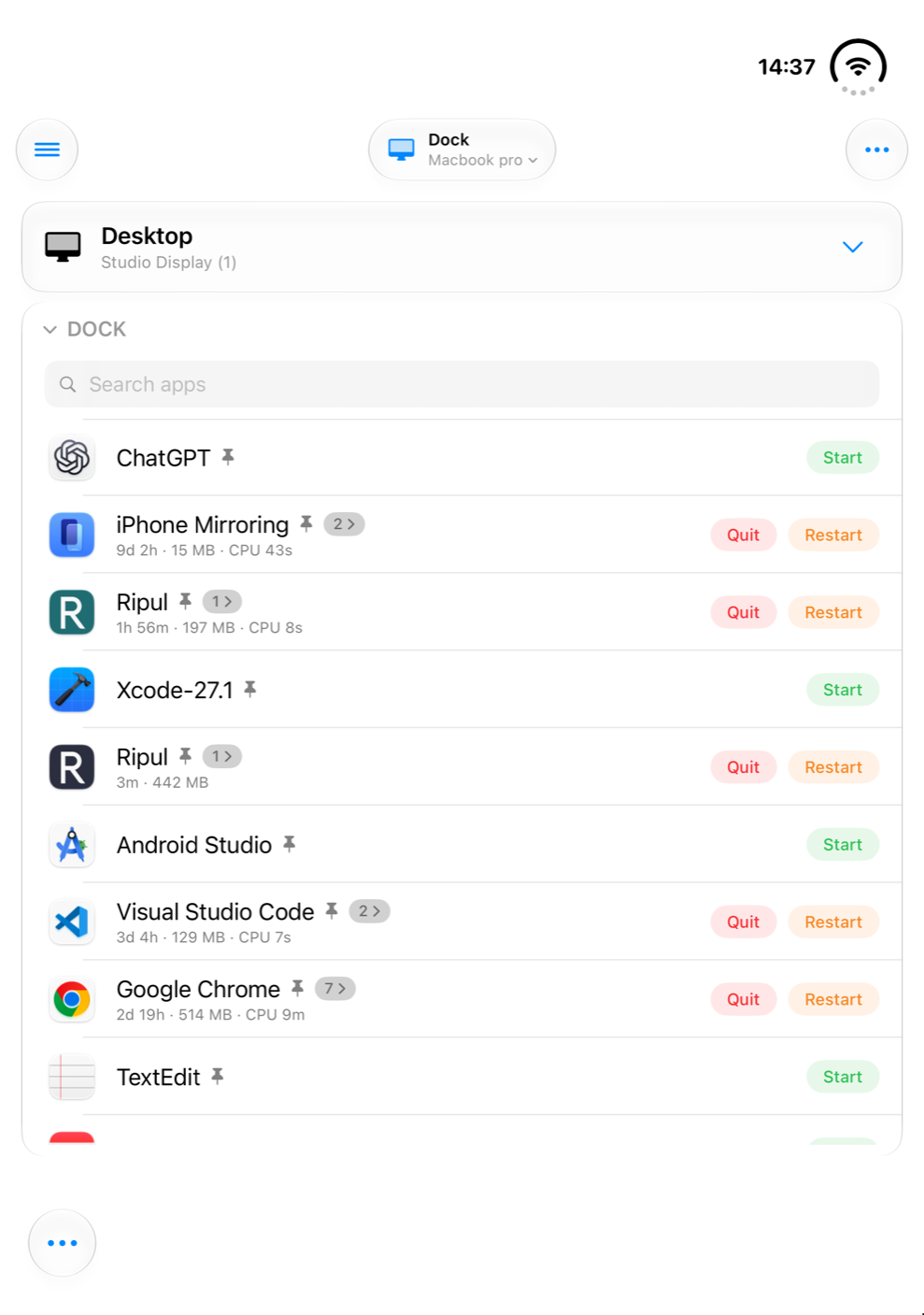
Your Mac's Dock, on your phone. Open an app, quit it or restart it, and see which windows it has open.
Files
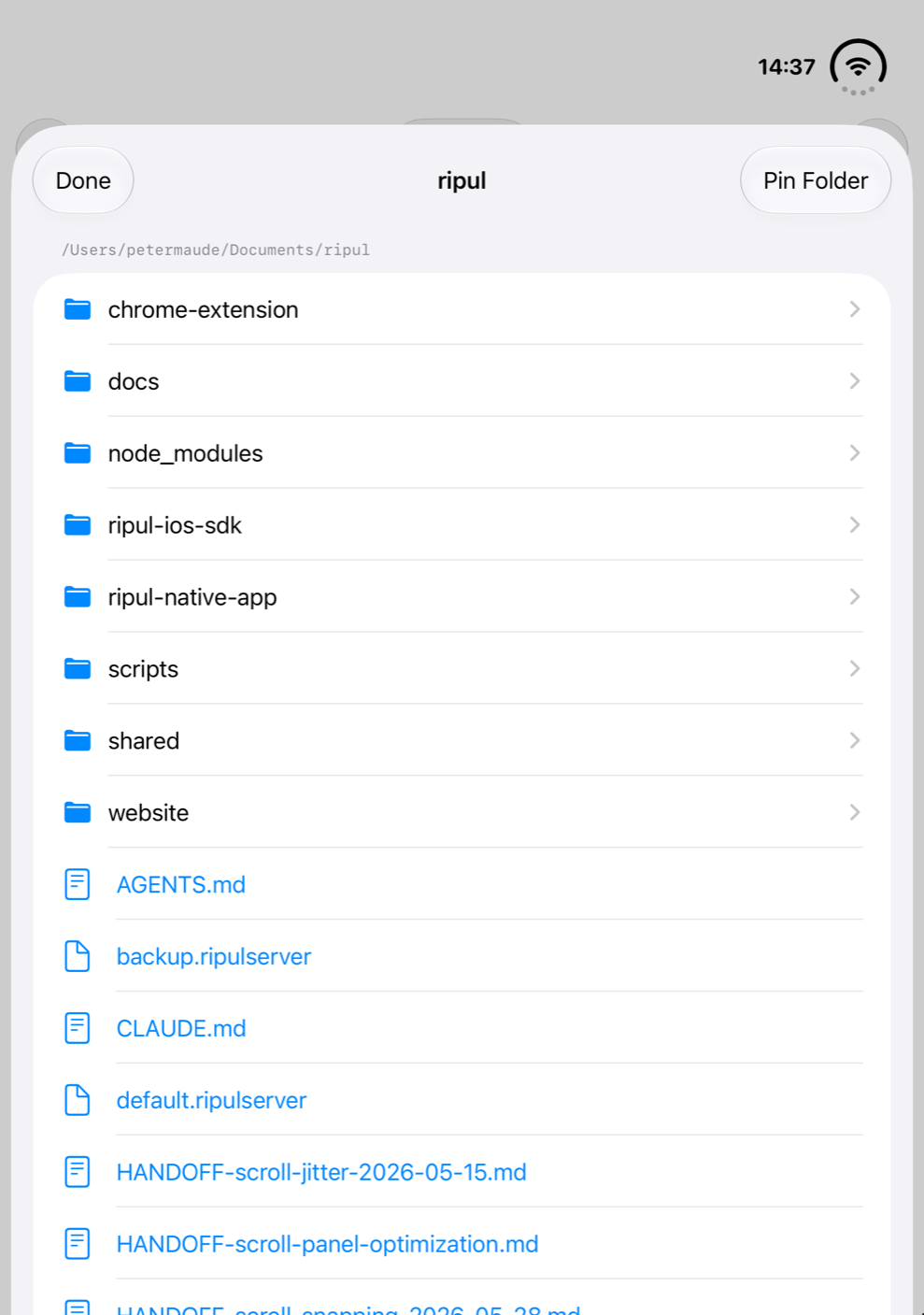
Every folder on any of your Macs, with files shown properly instead of pasted into a chat.
What is running
See what is busy and how hard it is working, and stop anything that has stopped behaving.
A command line, when you want one
For those who use one: type a command, and get back what it printed, whether it worked and how long it took. A long job can be left to run in the background.
Show someone else
A window you have brought to your phone can be shared with several people at once. One person drives and the rest watch, which makes walking a colleague through something a matter of pointing them at the window.
Good to know
Your Mac has to be awake
It needs to be on, with Ripul Host running. Add Ripul Host to the apps that open when you log in.
It is the real window
Reshaping changes the app on your Mac, so it will still be that shape when you sit back down, until you restore it.
More than one Mac
Choose which Mac these screens look at. A work Mac and a home Mac can both be there.
Check a website at full desktop size without going back to your desk.