A commit tells you what changed. The chat that made it tells you why: what was asked for, what was tried, what was ruled out. Ripul saves that chat in the repository alongside the code, so it is shared the way the code is.
That turns a repository into your team’s memory. When a teammate’s agent built something, you can read the conversation behind it, then carry it on yourself with all of its context, instead of starting a fresh chat and explaining everything again. The same works for you alone: a chat can move to another of your Macs when the one it ran on is switched off.
What it gives a team
- See why it changed
- A commit leads to the chat behind it, so the reasoning comes with the change, not only the diff.
- Pick up where they left off
- Continue a teammate’s chat on your own Mac. The agent starts with everything that conversation already knew.
- Read it as it was
- Open a chat exactly as it stood when a commit was made, to see what the agent understood at that point.
- Hand work over with its history
- When someone passes a piece of work on, its chats stay with the code, so the next person starts with the whole story.
Find your repositories
Open Repos from the sidebar. It lists the repositories on the Mac named at the top of the screen; tap the name to switch Mac. Each row shows its branch, how many files are uncommitted, and how many chats have committed there.
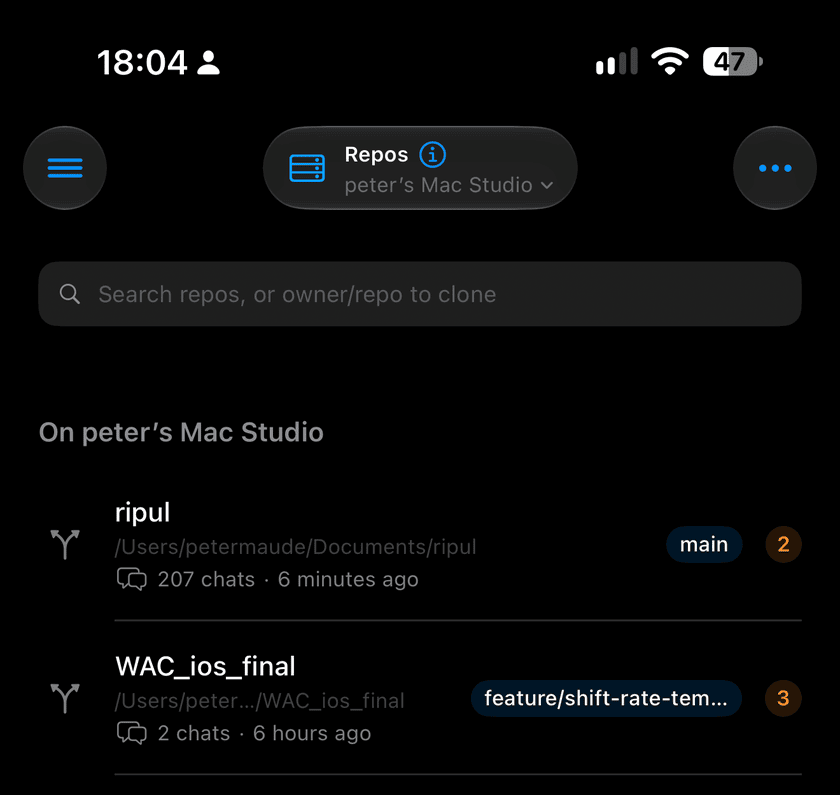
- Swipe right on a repository to pin it to the top.
- Search by name, or type owner/repo to clone one from GitHub.
- Long-press a row to copy its branch name.
History: the commits in order
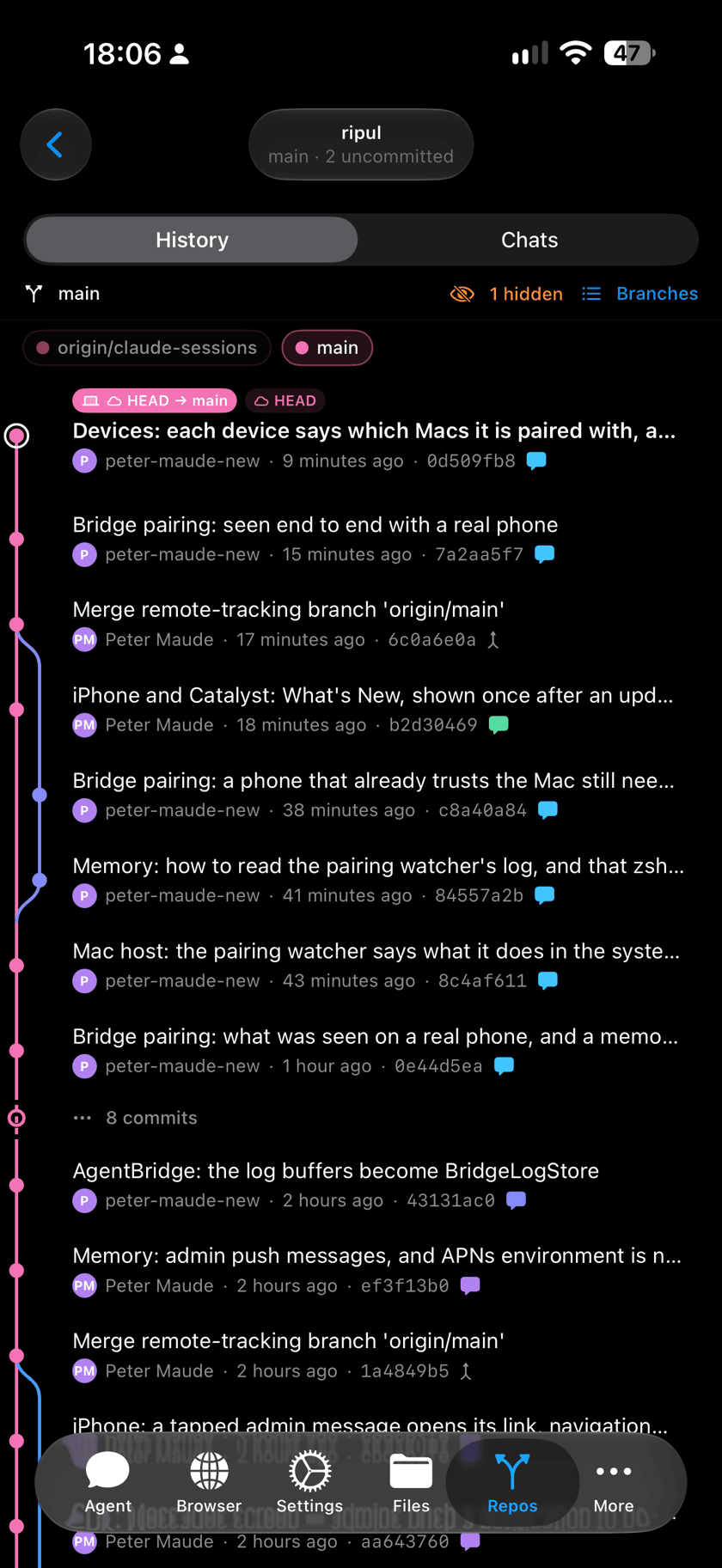
Open a repository and History shows its commits in git’s order, with the branch lines drawn beside them. A commit made by a chat carries a bubble in that chat’s colour, so one conversation’s commits stand out even when other people’s landed in between.
- Tap a commit to read its message, the files it touched, and the diff.
- Long-press a commit and choose Show chat to go to the chat that made it.
- Long runs of commits fold into “N commits”. Tap to open them.
- Branches lists every local and remote branch. Tap a branch above the history to hide or show its line.
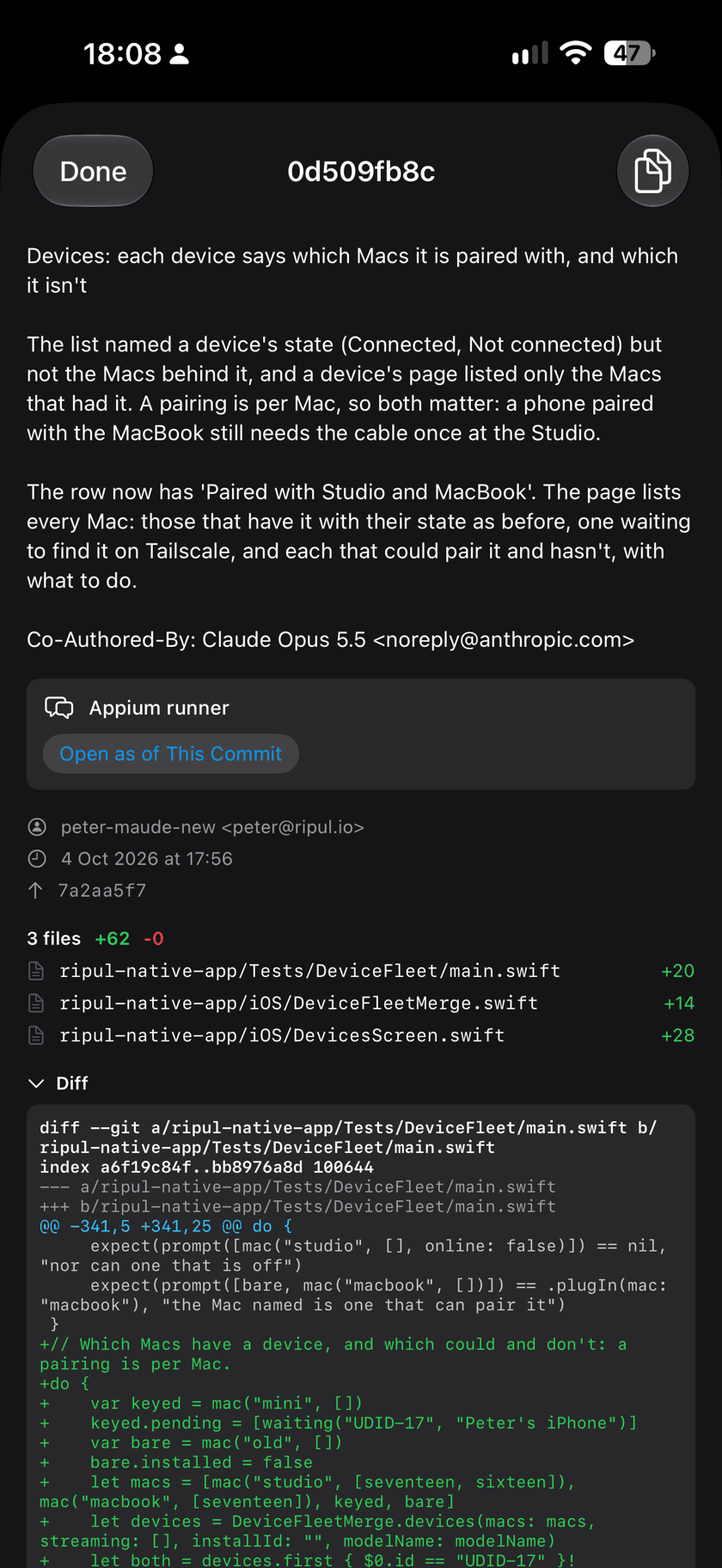
Open as of This Commit shows the chat read-only, exactly as it stood when the commit was made. Tap Resume to carry on from that point.
Chats: the conversations that built it
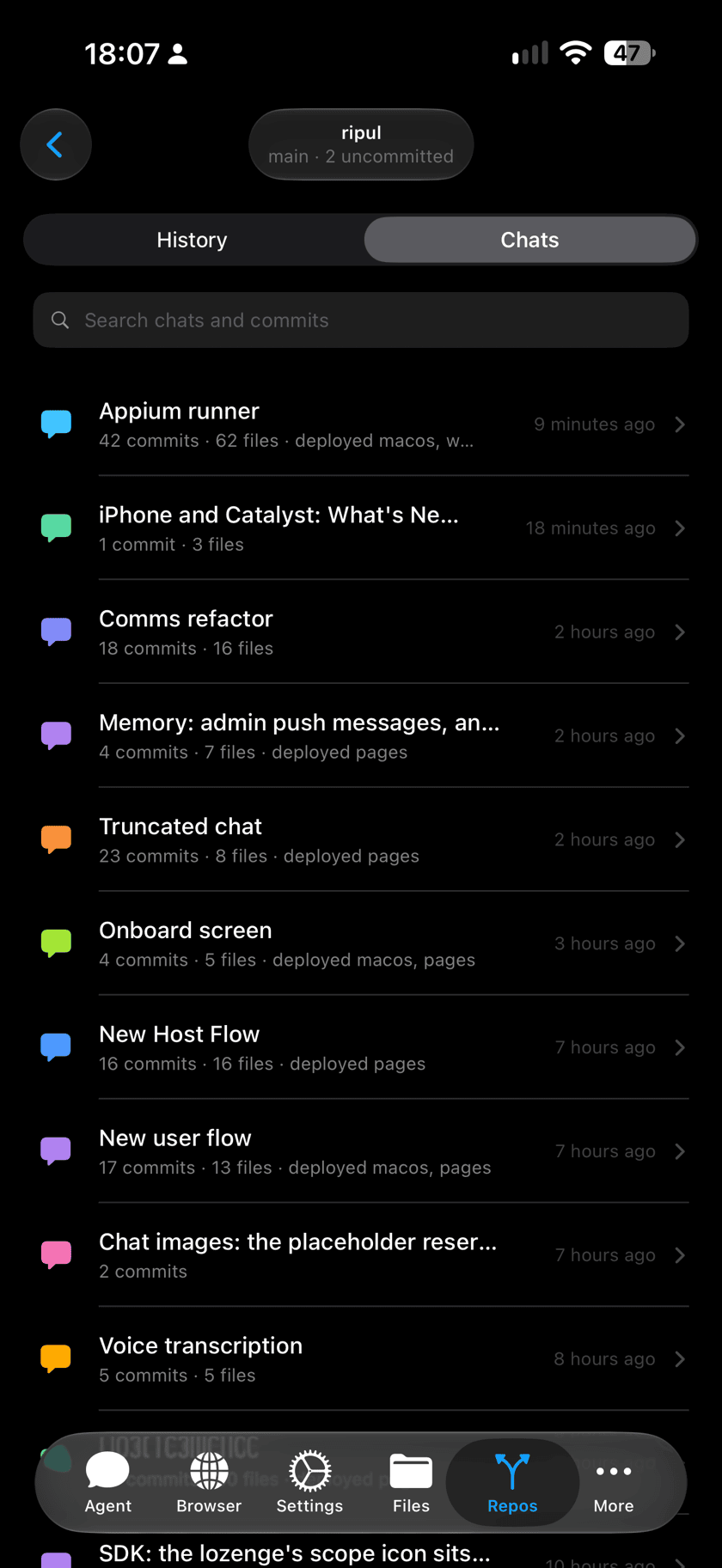
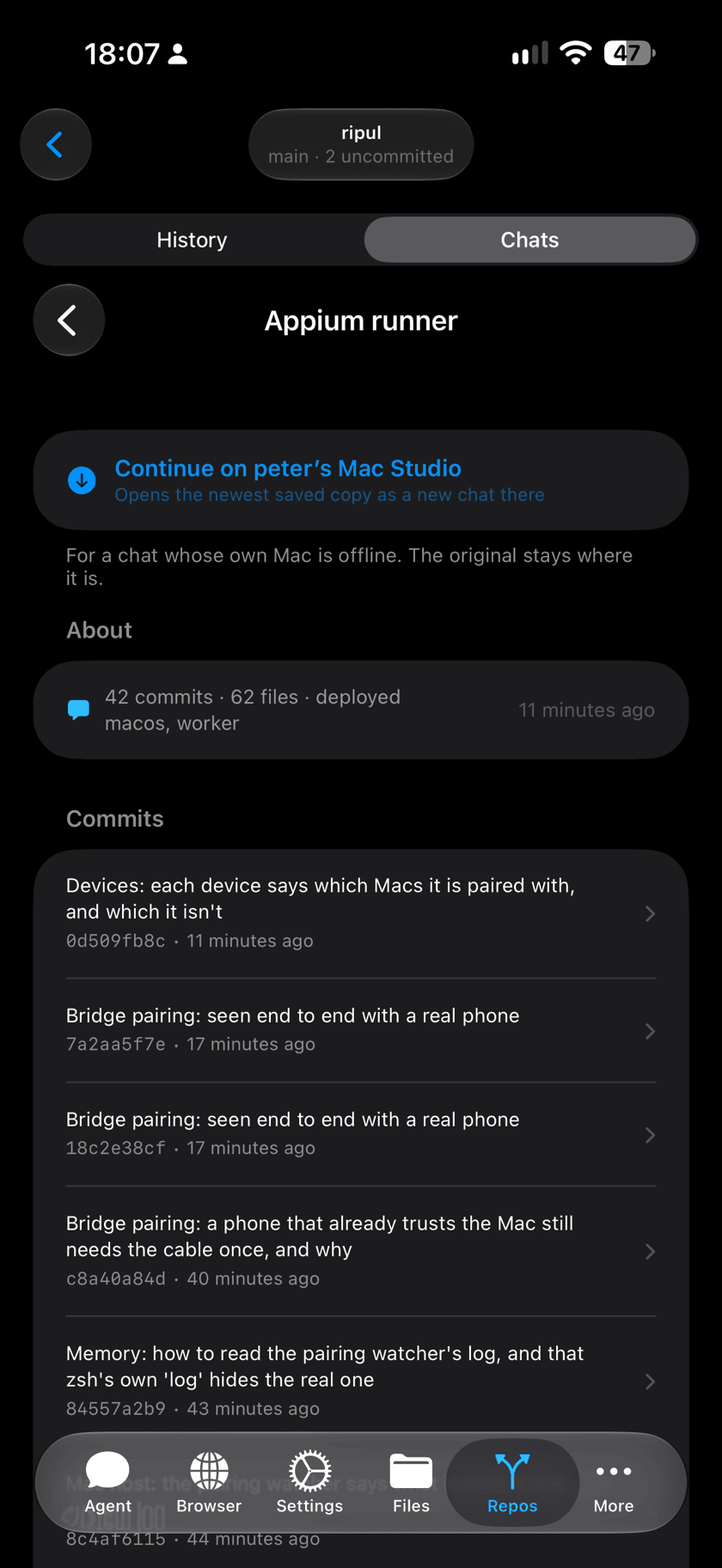
Switch to Chats to see the same repository by conversation. Every chat that committed here is listed in its colour, whichever Mac it ran on, with how many commits and files it changed and where it deployed. Tap one to see all of its commits together.
Pick up a chat, yours or a teammate’s
When a Claude chat in Ripul commits, Ripul saves the chat with the commit, on a branch of the repository called claude-sessions. Any Mac with a copy of the repository can read it, so a chat can be carried on by anyone on the team, or by you on another Mac.
- Choose the Mac to continue onTap the Mac’s name at the top of Repos and pick your own. It needs Ripul Host and its own clone of the repository.
- Open the repository, then ChatsFind the chat in the list, whoever started it, and tap it.
- Tap Continue on <your Mac>Your Mac fetches the newest saved copy and opens it as a new chat of your own, and Ripul takes you there.
What is saved, and what is not
- Claude chats run by Ripul Host are saved, for everyone on the team who works that way. Codex and Antigravity chats, and sessions started in a plain terminal, are not.
- A chat is saved when it commits. What it says after its last commit is saved with its next one.
- Saving needs an origin remote you can push to. Reading needs a clone of the repository.
- Chats lists recent chats, not every chat the repository has ever had.
- History’s bubbles come from the Mac’s last fetch. Pull down to refresh.