Put more than one agent on a project and they soon share more than the code. They deploy the same web app, rebuild the same Mac app and install onto the same iPhone. Two at once, and one breaks the other’s build or relaunches the app the other is testing in. Trainyard runs on your Mac and puts those jobs in order, and your phone shows you the queue.
How it works
- Track
- A job, such as deploying the web app or building the iPhone app. A project keeps its tracks in .ripul/trains.yaml, so everyone working on it shares them.
- Train
- One run of a track, at a fixed commit. Requests that arrive while a train is forming ride on it, so one deploy serves every agent that asked.
- Resource
- Something trains disturb and agents use: the phone under test, the simulator, the Mac app every agent runs inside.
- Hold
- Keeps the trains that would disturb a resource waiting in the yard while you use it. It expires by itself.
- Held-back commit
- A commit that must not ship yet. Any train carrying it stops before it leaves, so nothing ships around it.
Trainyard also waits for the right moment. A step that interrupts people, such as relaunching the Mac app the agents run inside, waits until the agents using it have finished their turn. iPhone, simulator and TestFlight builds share one lane, so they queue rather than fight over Xcode. Only committed work ships.
Sharing what there is only so much of
Trains are for jobs that go out. Pools are for things on the Mac that only one agent can use at a time. An agent asks for one, is told which it got, and gives it back. If none is free it waits in line. A loan lapses by itself when its holder goes quiet, so a stuck agent cannot keep one.
- Simulators
- Every simulator on the Mac is in a pool. An agent asks for the kind it needs and gets one of its own, started if it was off. Another agent’s install to that simulator waits.
- A local model
- Set how many turns a model on your own machine may run at once, so several agents do not swamp it. Today an agent asks for its place; Ripul does not yet take one for it.
The idea behind it
Trainyard is a release train, a practice from engineering teams that ship many times a day. Changes don’t go out one by one: they ride a train that leaves from a known commit and carries everything ready when it formed, and anything that misses it takes the next one. Agents change code faster and more in parallel than people do, so the collisions a train prevents happen far more often, and the practice matters more.
At Etsy, the engineers deploying at the same time form a push train with a designated driver, and take their changes to staging and then to production together. In Etsy’s words, “Everyone in that train must work together for the safe completion of their deployment.” In Trainyard the agents are the passengers and the yard is the driver: it runs the checks and the job, and waits for the agents still working before it does anything that would interrupt them.
Facebook moved facebook.com to pushes from master every few hours, each carrying “tens to hundreds of diffs” and rolled out in stages “so we can stop the push if we find any problems.” Because another push is always coming, “the vast majority of things that would have required a hotfix can simply be committed to master and pushed in the next release.” Trainyard keeps the same habits: a train ships committed work from a fixed commit, a held-back commit stops any train carrying it, and a change that misses one rides the next.
Elsewhere How Etsy Ships AppsSasha Friedenberg, Etsy Engineering, 2017. The push train, its driver, and the same thinking applied to app releases.
Elsewhere Rapid release at massive scaleChuck Rossi, Engineering at Meta, 2017. Batching changes into regular pushes from master, and stopping a push that goes wrong.
Watch it from your phone
Open Trainyard from the sidebar. It shows the yard on the Mac named at the top of the screen; tap the name to switch Mac. It refreshes every few seconds, and you can pull down to refresh.
- On the line
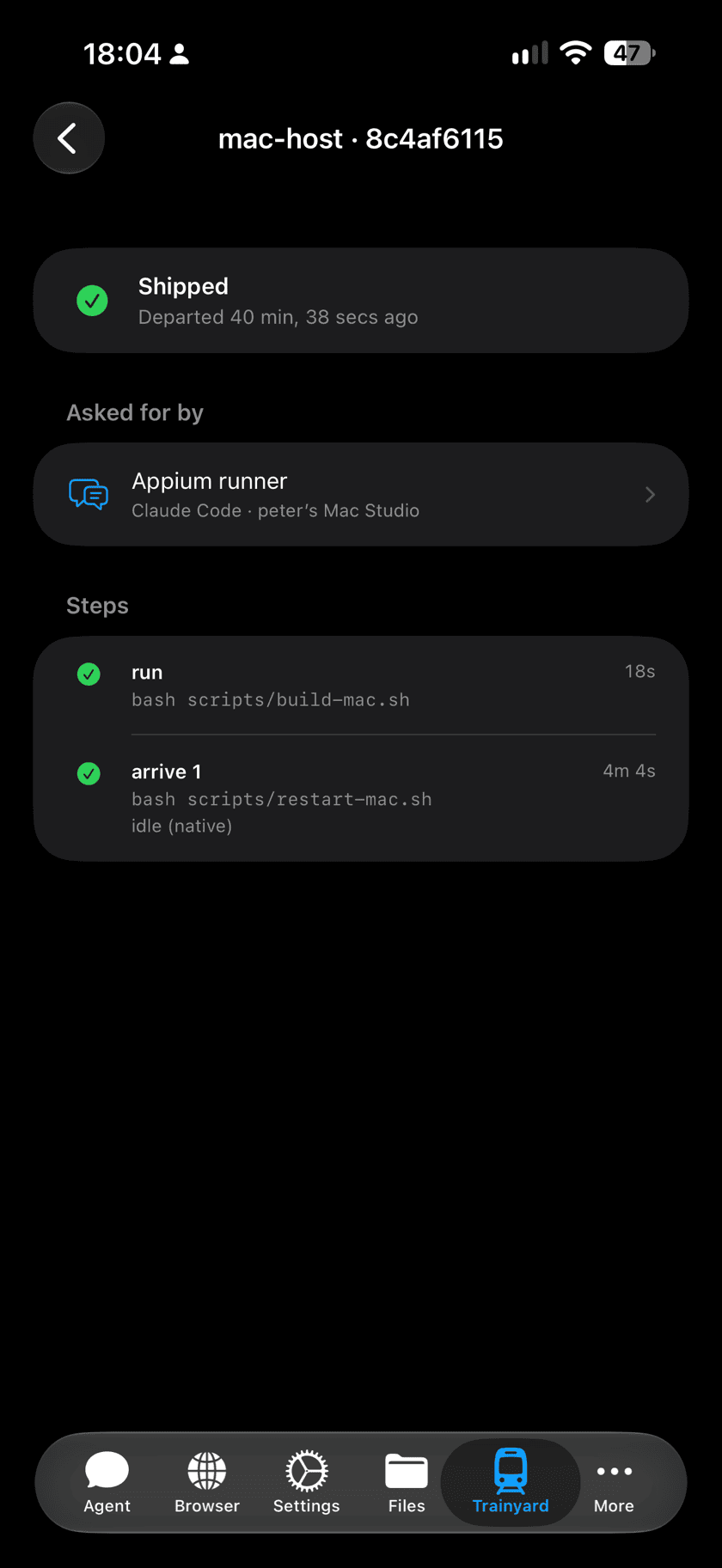
- Trains running now, and what each is doing: forming, waiting for a resource, running its job, checking it went live, or waiting for agents to finish their turn.
- Waiting to board
- Requests queued for the next train.
- Holds
- What is held, by whom, why, and when the hold runs out.
- Held-back commits
- Commits that cannot ship until someone unblocks them.
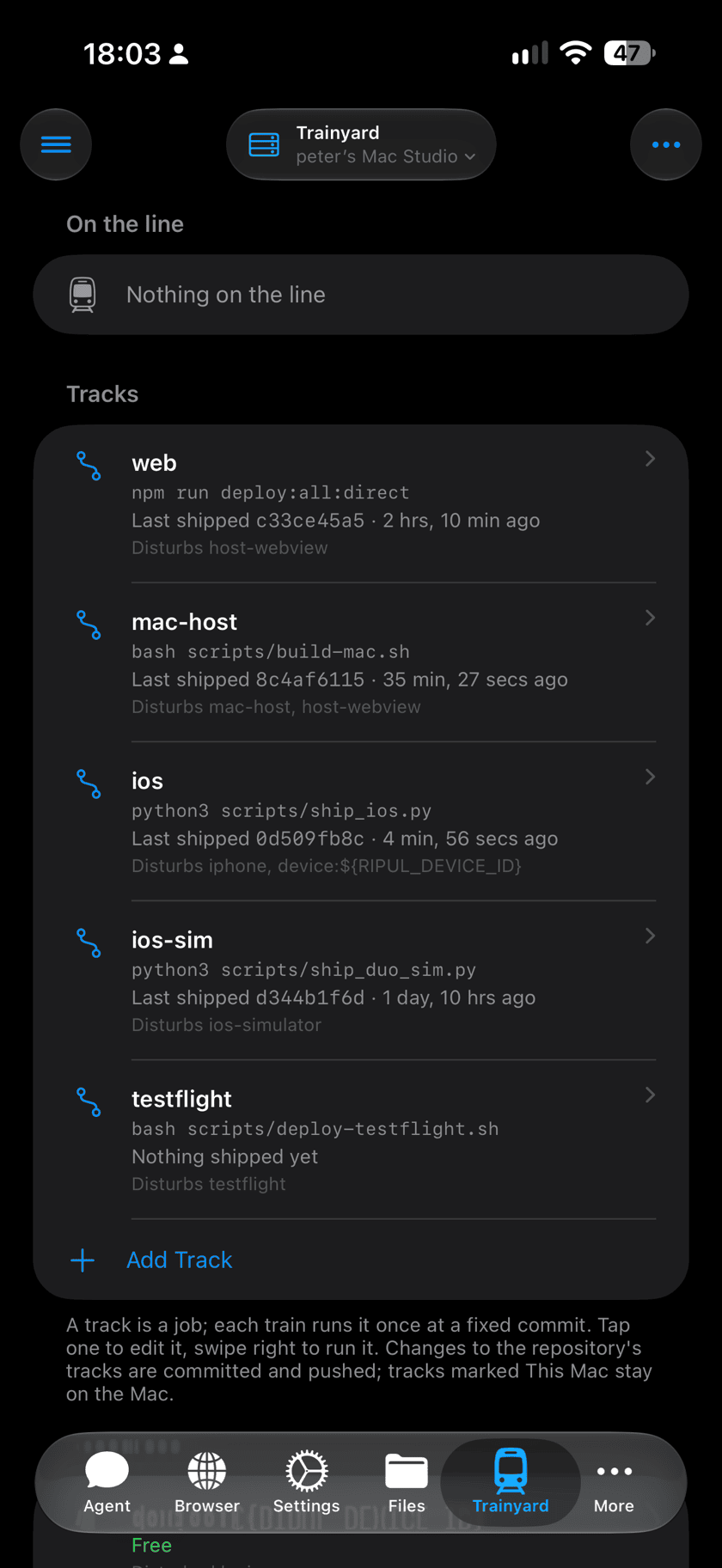
- Tracks
- Every job, with the commit it last shipped and when.
- Resources
- Whether each is free, held, or in use right now.
- Recent
- The last trains to finish.
What you can do from the phone
- Hold something while you testIn Resources, swipe right on it and tap Hold. Trains that would disturb it wait for 15 minutes, or until you release it.
- Release a hold, or unblock a commitSwipe the row in Holds or Held-back commits.
- Run a trackIn Tracks, swipe right on it and tap Run. The train runs on the Mac, from its main checkout, and waits for holds like any other.
- Skip the waitA train waiting for agents to finish their turn can go now: tap Arrive Now on its row or in its detail. The agents it was waiting for are interrupted, so it asks first.
- Cancel a trainSwipe left on it and tap Cancel. It stops at once; anything its job already changed stays changed.
- Change a track or a resourceTap it to edit, or use Add Track and Add Resource. Save to the repository to share it with everyone on the project (Ripul commits and pushes the change), or keep it on this Mac only.
From the Mac
Agents use Trainyard through the ripul-train command on the Mac, and you can too. Deploy scripts board their own trains, so an agent asking for a deploy goes through the yard without doing anything special.
- ripul-train status
- What is on the line, what is held, and what shipped last.
- ripul-train request <track> --wait
- Ask for a train and wait until it arrives.
- ripul-train hold <resource> --reason "…"
- Hold for 15 minutes, or set --ttl in minutes. ripul-train release <id> lets go.
- ripul-train block <commit> --reason "…"
- Hold a commit back. Holding a commit back is done from the Mac; the phone can unblock it.