Features · Checking the work
See what changed, and why.
Checking what an agent did is most of the job. Ripul gives every project on your Mac a proper screen for it: each change laid out to read, and the conversation that asked for it one tap away.
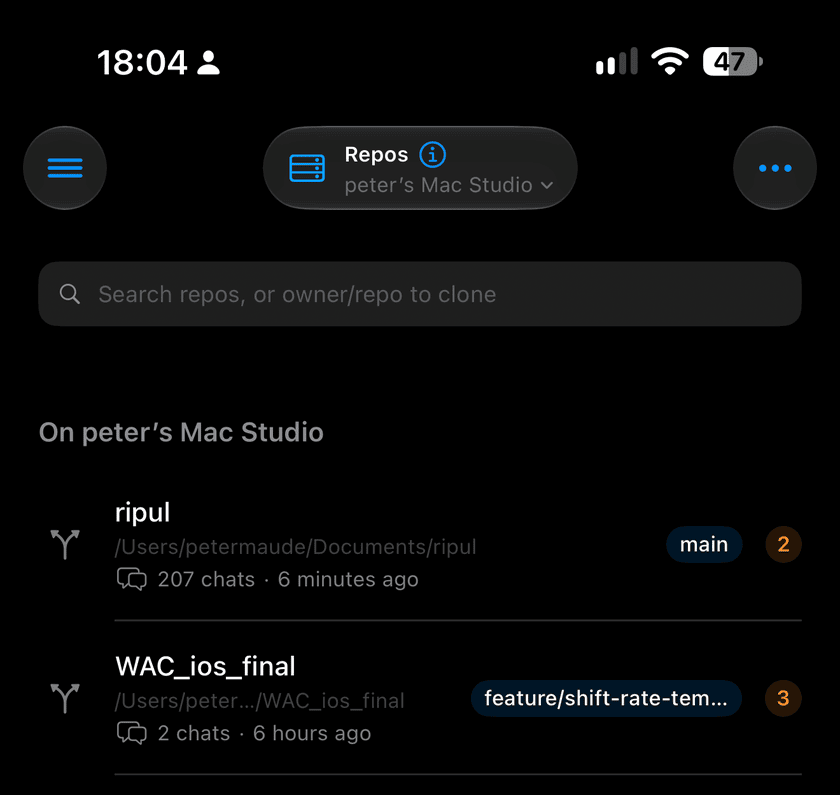
Your projects
A list of the projects on your Mac. Each shows which version you are on, how much is unsaved, and how many conversations have worked on it. Pin the ones you use most.
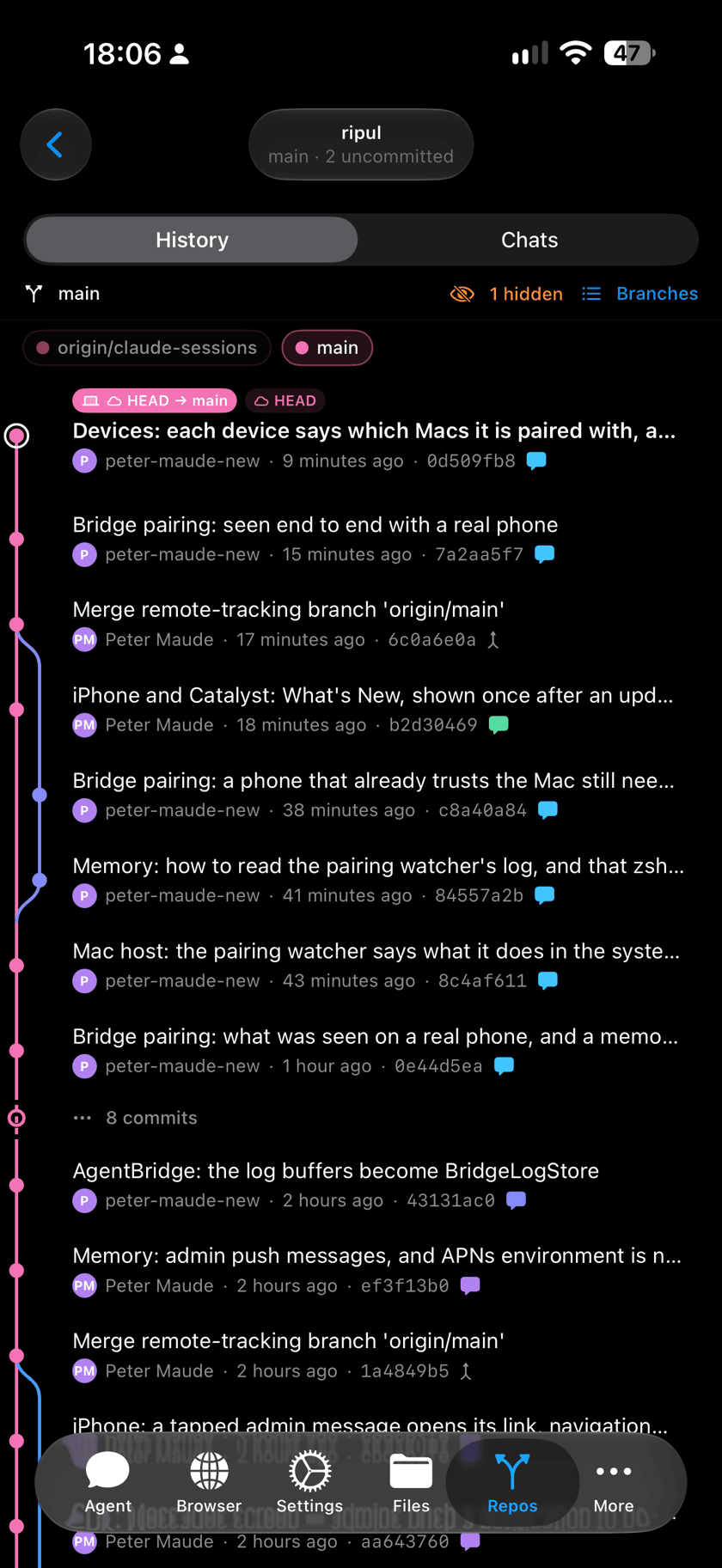
History: every change, in order
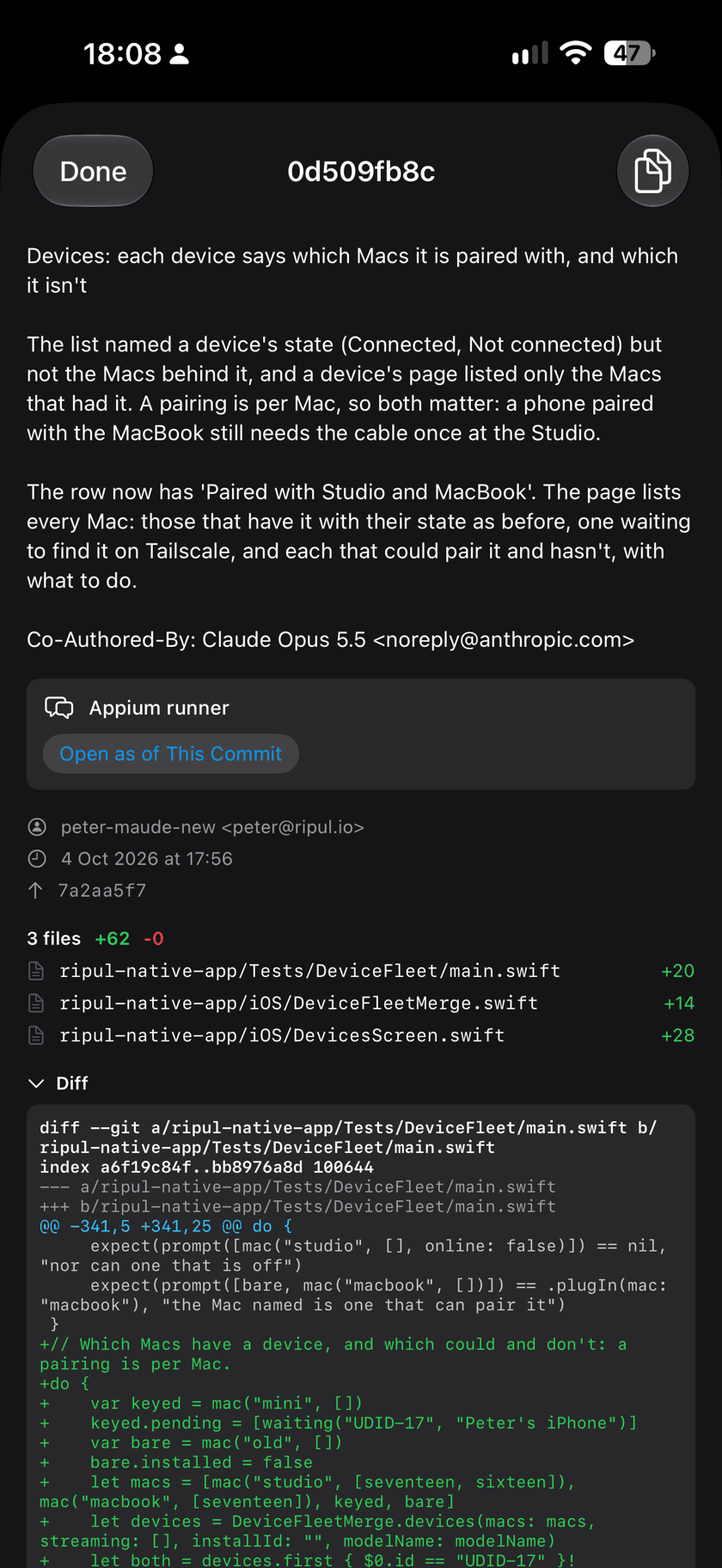
Open a project and see its changes from newest to oldest. Tap one to read what it was for, which files it touched and exactly what was altered, line by line.
A change made in a Ripul conversation carries a marker in that conversation's colour, so one conversation's work stands out even when other people's landed in between.
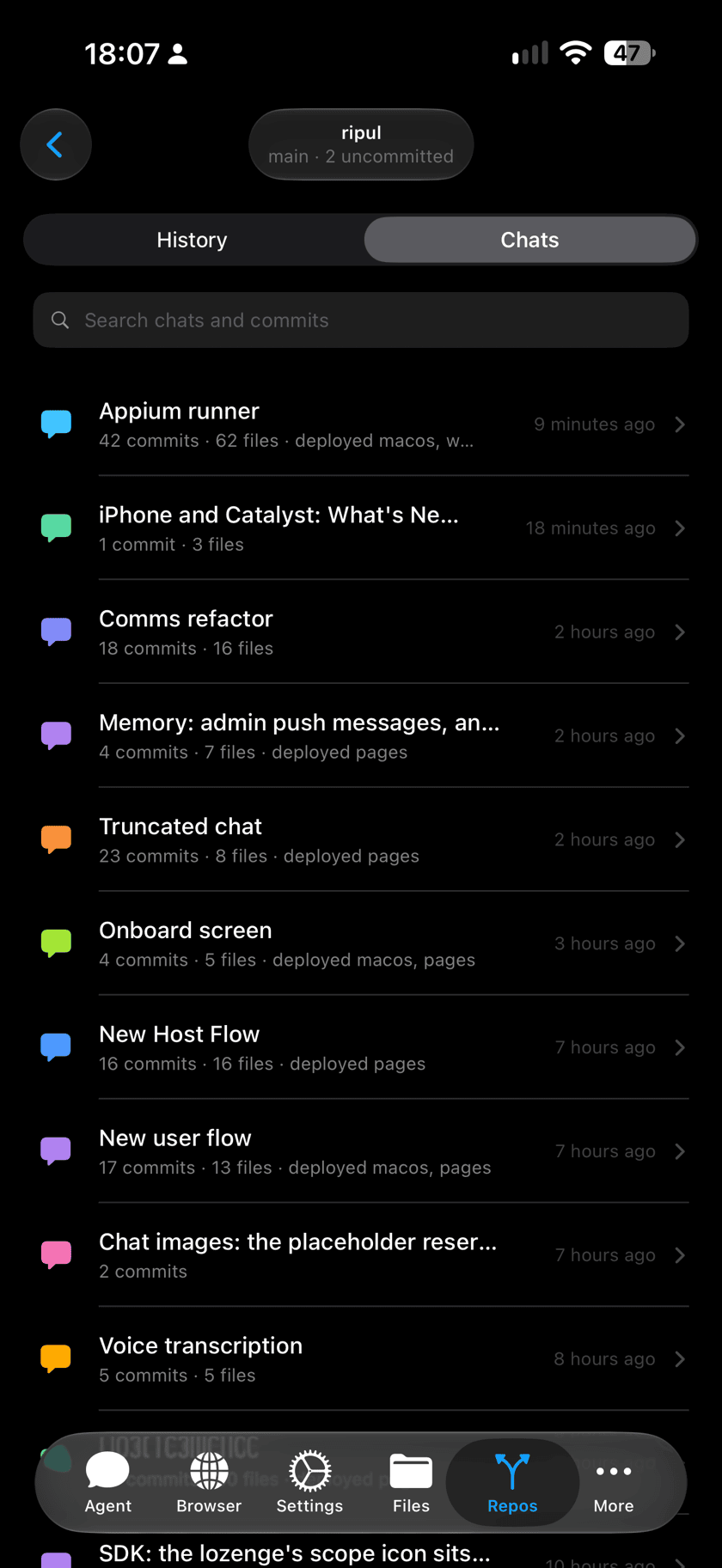
Chats: the same work, by conversation
Switch to Chats and the project is listed by the conversations that built it, whichever Mac they ran on, each with how much it changed and where it went live. Tap one to see everything it did together.
Read a conversation as it stood
From any change you can open its conversation exactly as it was at that moment, to see what the agent understood when it made it. Then carry on from there if you want to.
A team's memory
The conversation is saved in the project beside the work, so it is shared the way the work is. A teammate can read why something was done, and continue that conversation on their own Mac with everything it knew.
Good to know
Which conversations are saved
Claude conversations run by Ripul Host are saved each time they save a change. Others are not, yet.
Shared with everyone on the project
Anyone who can see the project can read its saved conversations. Saving is on by default and can be turned off for each Mac.
Ask for a save at each step
Have the agent save its work at every step that works. It costs nothing, and makes undoing the last idea a one-line request.
Bring colleagues into the conversation with the agent, and keep its history with the work.