Coding agents are extraordinary and they are stuck at your desk. Claude Code lives in a terminal. Codex lives in a terminal. Close the laptop and the work stops — and the twenty minutes you spend on a train, or waiting for something, or in a queue, are twenty minutes your agent could have been working.
Putting a chatbot on a phone does not fix that on its own. What sends you back to the laptop is everything around the conversation: reading the diff, opening the file it changed, checking the page still renders. Ripul is the app that brings the rest of the desk with it.
One app, every agent
Claude, Codex, Antigravity and Kimi, with more coming. The point is not that Ripul can run them — it is that they share one interface, so the agent you use stops being a decision about which app to open.
- Changing agent or model is a tap inside a running conversation, not a different app with different habits.
- One session list for all of them, one approval prompt, one kind of notification.
- They run at the same time. Different agents, different machines, different folders, all in parallel.
Many agents, shipping in turn
Agents working in parallel still share what they ship to: the web app, the Mac app, the phone you test on. Trainyard, on your Mac, puts their builds and deploys in order, so one agent’s deploy never lands in the middle of another’s, a relaunch waits until the agents using the app have finished their turn, and you can hold the phone while you test. Your phone shows the whole queue.
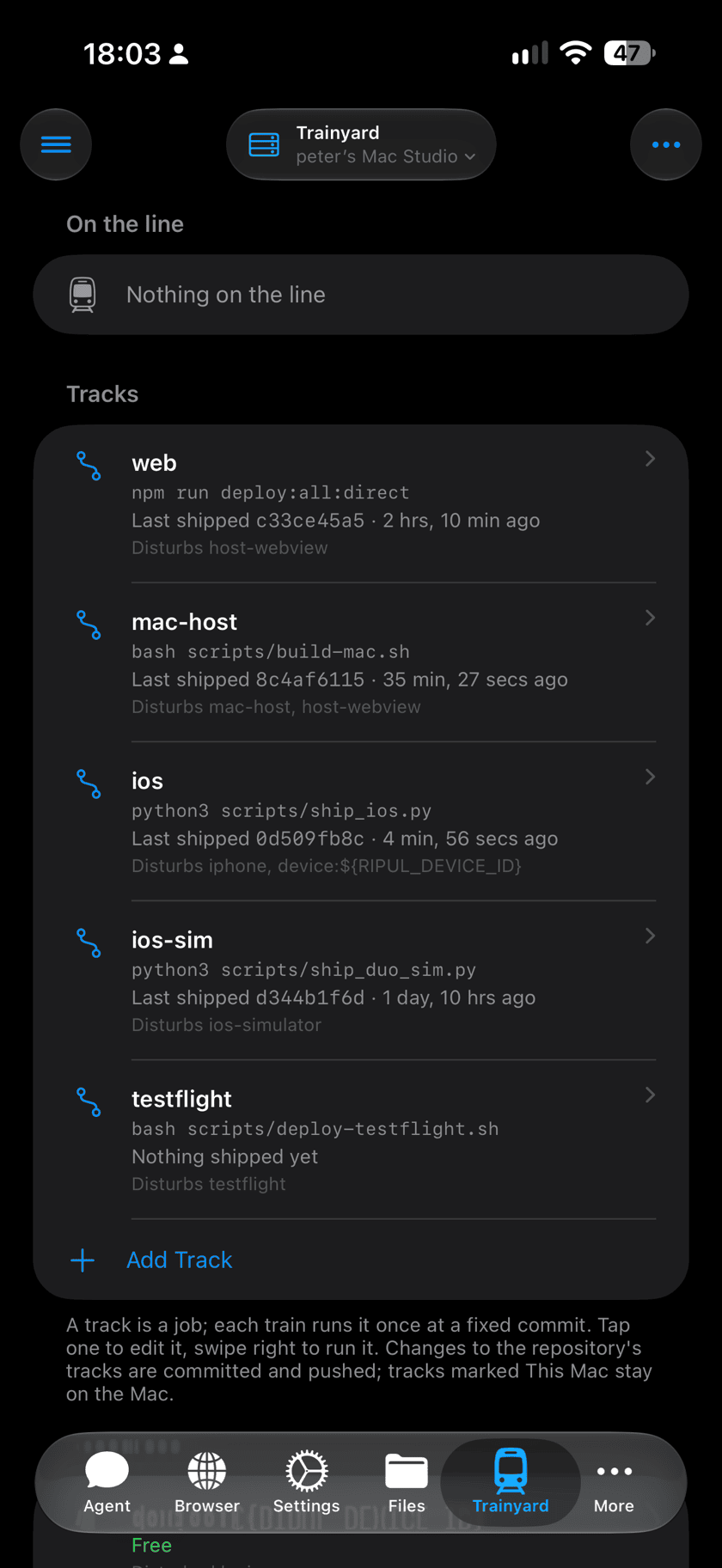
Run several agents on one project and let them all ship, without one breaking another’s build.
Your machine, your code
Agents run on hardware you own, in your own checkouts, with your toolchain and your credentials. Your phone pairs with your Mac over your own network, or over Tailscale when you are away from it. Nothing is copied to someone else’s machine to be executed.
That is also why the agent is useful rather than merely clever: it is working on the real repository, with the real dependencies installed, and the build it runs is the build you would have run.
Everything you need to check the work
This is the part that decides whether you can finish something on a phone or only start it. Reviewing what an agent did is most of the job, and none of it used to be possible away from a keyboard.
- Repos
- Every repository on the machine: which branch, what changed, what is still uncommitted.
- Files
- The folder tree on any connected machine, with files rendered properly rather than pasted into a chat.
- History and Chats
- Walk a repository’s commits and open any diff — including the one the agent just made — and see which chat made each one.
- Plans and To Do
- Agree the approach before any code moves, then watch the steps get ticked off as they land.
- Artefacts
- Whatever the agent produced that deserves to outlive the conversation, saved and openable later.
- Terminal
- A real shell on the machine. Run a command, read the output, check an exit code — from a queue.
And the machine itself
Not everything is a repository. Sometimes the answer is in a running process, or behind a dialog, or one shell command away — and those are exactly the moments that used to send you home.
- A terminal
- A real shell on the machine. Run the command, read the output, check the exit code.
- Processes
- What is running and how hard it is working, with the ability to quit anything that has stopped behaving.
- The Dock
- Launch, quit or restart an app on the Mac, and see the windows it has open.
- The screen
- Mirror a window and use it — real pointer, real keyboard, shared clipboard — reshaped to fit a phone.
A browser that behaves like a desktop one
If the thing you changed is a web app, you have to look at it, and a phone browser shows you the phone layout. Ripul’s browser renders pages at a real desktop viewport instead — 1440 by 900, or any of the other presets — then scales the finished layout to fit the screen so you can pinch into it.
It has a real pointer, too, so hover states work and you can tell where a splitter’s grab area starts. It is closer to carrying a small desktop than to browsing on a phone.
And you do not have to be alone in it
Any conversation can have someone else in it. Invite a colleague by email and they join that one chat — able to reply, not just read — while the rest of your account stays yours.
Switch the conversation to Group and the agent stops answering every message, speaking only when one of you @mentions it. Two people can argue out the approach in the chat, then pull the agent in to act on what they landed on — and it can read the argument it sat out. A mirrored window works the same way: several people can watch, one drives.
The conversations travel with the code, too. When a Claude chat in Ripul commits, the chat is saved in the repository beside its commits. Anyone on the team with a copy of the repository can see which chat made a change, read why it was made, and pick that conversation up on their own Mac with all of its context, instead of starting a new chat and explaining everything again.
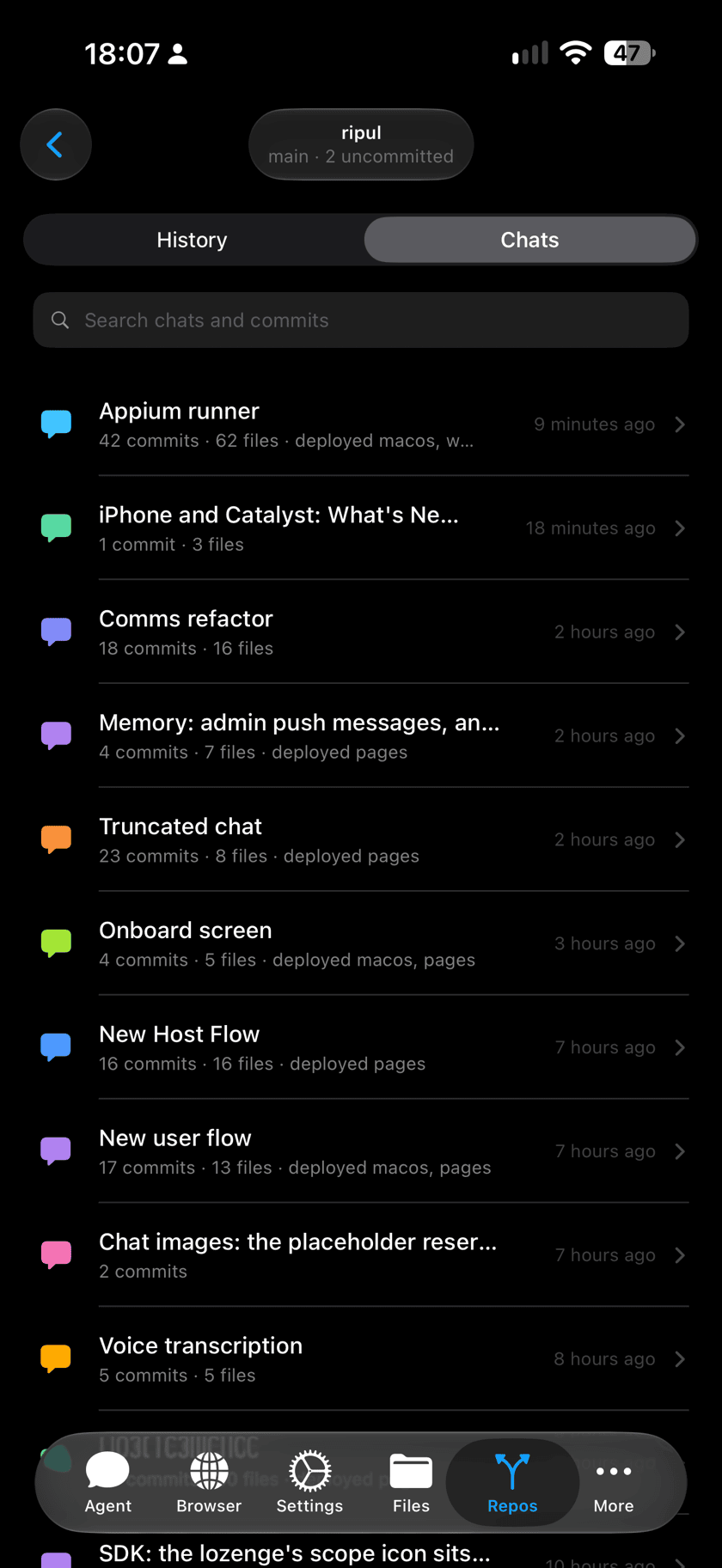
Everyone working in a repository can see the chat behind each commit, and pick up the conversation that built the code.
Work that is not trapped in one provider
The agents are interchangeable. What they build for you is not, and that asymmetry is the point. Artefacts, plans, memories and conversations live with your account rather than inside whichever provider produced them — every model addresses them by the same identifiers, under the same permissions.
So an artefact Claude Code built is one Codex can run tomorrow, a memory you gave one agent is one the next agent already has, and moving between providers is a choice about which is better at today’s task rather than a migration. The thing you would be locked into is the thing you own.
Agents that build you browser extensions
Artefacts are not only documents. Ask for a browser extension — the sites it should run on and what it should do — and the agent builds one, which you then install into Ripul’s browser from Browser → Extensions. It runs in the real page, in its own JavaScript world, on the patterns you specified.
You can keep it to yourself or publish it, at which point it is listed under Community extensions for anyone signed in to Ripul — installed by choice, never pushed. An agent that can extend the browser you are reading with is a different kind of tool from one that can only tell you what to do.
What it adds up to
Start three agents before you leave the house. Read the plan one of them wrote while you are on the train, and send it back for another pass. Approve a change from a queue. Pull a colleague into the one conversation that needs a second opinion. Open the diff, check the page in a desktop browser, run the test in a shell, and merge it. Then open the laptop because you want to, rather than because there was no other way to finish.